 habstick
Clear the small stuff first
Compact grid and compact list pack the most habits into the least space, so a full routine still fits on one screen.
Last updated .
Most habit apps give you one list and call it a design. HabStick ships eight card layouts, so your home screen can be a compact checklist on busy days and a month of heatmaps when you want the long view.
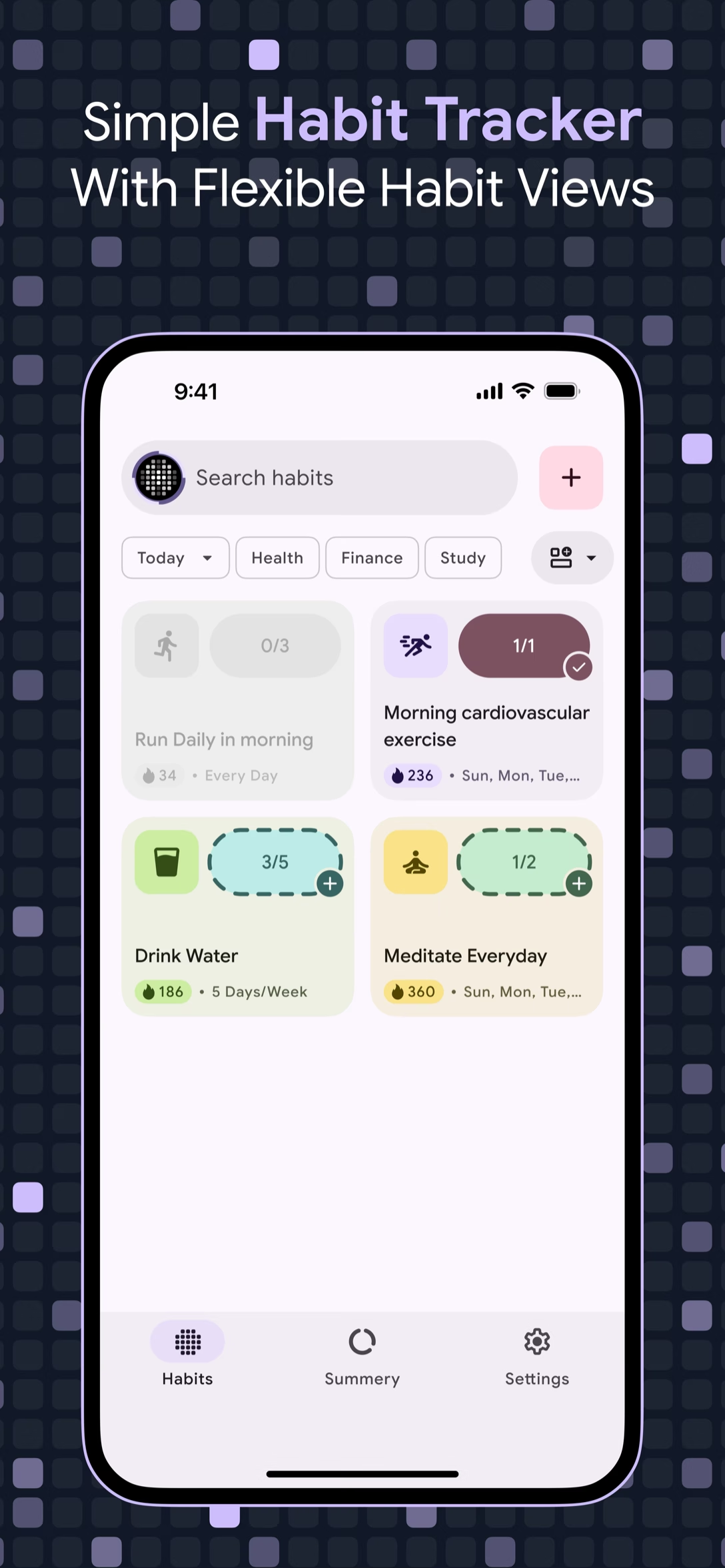
A habit tracker has to survive two very different moods. On a rushed Tuesday you want a compressed list you can clear in ten seconds. On a quiet Sunday you want to see a month of green squares and know the work is adding up.
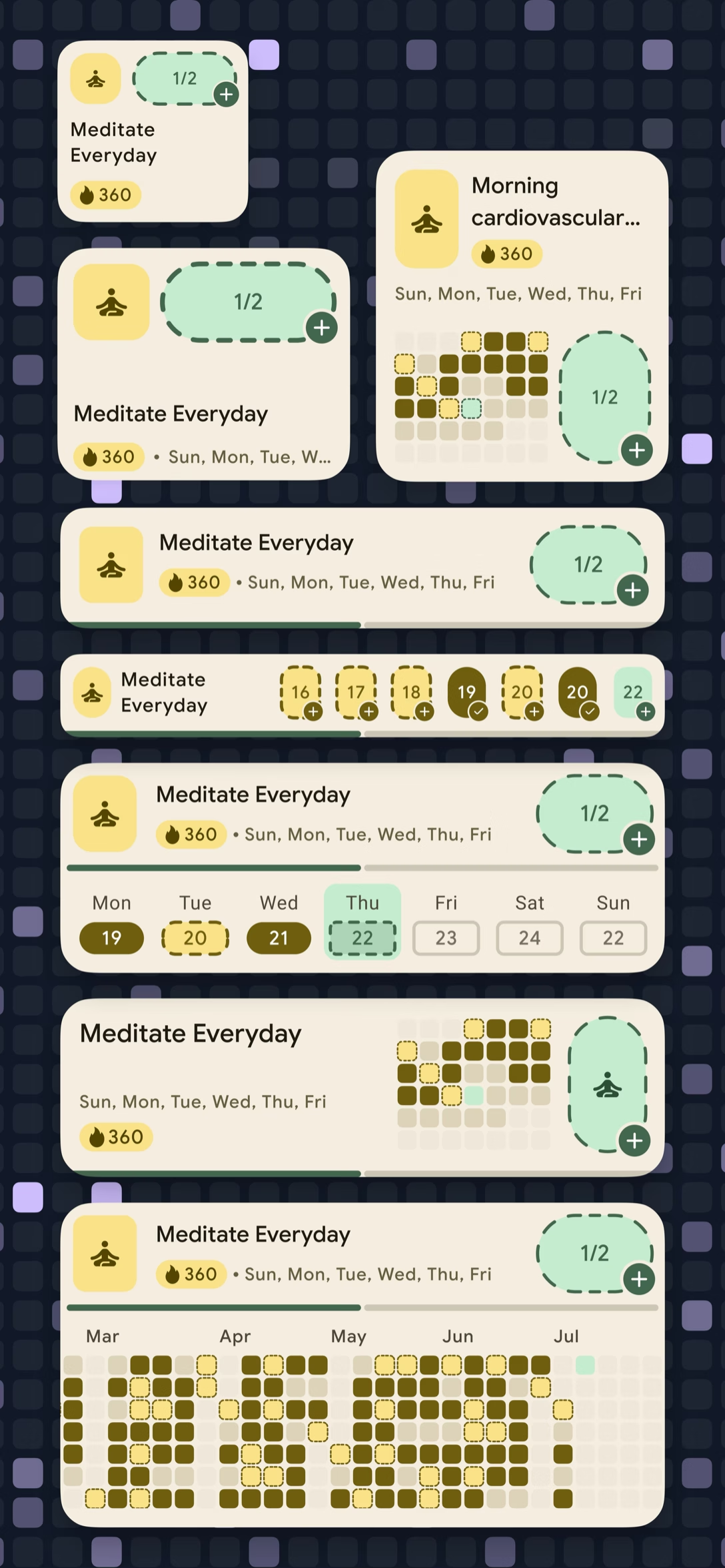
HabStick keeps both. The home screen switches between eight card layouts—compact grid, grid, compact list, list, weekly, weekly detailed, monthly, and monthly detailed—without changing a single habit, streak, or reminder. A layout is a view, not a new setup.
Minimalist design that respects your time and attention.
Compact grid and compact list pack the most habits into the least space, so a full routine still fits on one screen.
Weekly layouts put a seven-day strip inside each habit card, with today marked, so you can tell at a glance where the week is holding.
Monthly layouts render a heatmap per habit, turning a vague sense of progress into a pattern you can actually read.
HabStick remembers the layout you picked on your device. Switch again whenever your routine—or your phone—changes.
Every layout is built from the same habit data. Only the frame changes.
Small cards with a mini heatmap, built for routines with five or more habits.
Larger cards with the habit name, current streak, and weekly grid side by side.
Dense rows with a completion ring—scan a whole routine without scrolling.
Taller rows with a progress ring and the current week's check-ins.
Every habit carries a Mon–Sun strip with today highlighted, so missed days are obvious.
The same seven-day strip plus a completion counter for habits with more than one step.
A heatmap row for each habit, so you can watch the whole month fill in.
A wider month view for comparing several months of consistency at once.
One sheet, eight options, no re-entering a thing.
Tap the layout icon beside the search bar on the Habits screen. The Habit Card Layout sheet opens over your habits.
Eight options sit in a single row. Tap one and the home screen reshapes instantly—no saving, no confirmation dialog.
Your choice is stored locally and restored the next time you open the app. Change it again whenever the season changes.
Explore more HabStick capabilities:
Eight: compact grid, grid, compact list, list, weekly, weekly detailed, monthly, and monthly detailed. You can switch between them at any time from the Habits screen.
No. Layouts only change how the same records are displayed. Every check-in, streak, reminder, and milestone stays exactly as it was.
The home screen layout applies to the whole Habits screen. Individual habits keep their own color, icon, and schedule, so cards still look distinct inside any layout.
Yes. Layouts are rendered on your device from local data, so switching works in airplane mode.
Start with compact grid or compact list. Both fit a full routine on screen. Monthly layouts are better once you mostly want patterns rather than checkboxes.
Yes. The eight layouts ship on both platforms with the same behavior.
No. Home screen widgets have their own compact design—a weekly grid and today's tally—so they stay readable at widget size.
Yes. Every layout respects your light, dark, or system theme and the color you picked for each habit.
Free to start on iOS and Android. No login, no clutter—just your habits.